
| TL;DR |
|
When you run a solo practice, you’re the lawyer, the office manager, and the IT department. Security competes with billable hours, and it usually loses. So the data security basics every solo law firm should implement must be short, finishable, and done before you hand anyone a login.
The gap is real. In the ABA’s 2024 Solo and Small Firm TechReport (published April 2025), 54.7% of solo respondents reported having two-factor authentication. Only 52% reported file encryption, based on self-reported survey answers.
Meanwhile, the FBI’s 2025 Internet Crime Report logged 24,768 business email compromise complaints. Reported losses reached about USD 3.05 billion across all industries. A handful of basics shrink that exposure, and the same basics make delegation safe.
Why Data Security Basics Are an Ethics Issue for Solo Law Firms
ABA Formal Opinion 498 (March 2021) covers virtual practice. It quotes Comment 8 to Model Rule 1.1: keep up with “the benefits and risks associated with relevant technology.” Rule 1.6(c) adds a duty to make “reasonable efforts” against unauthorized access to client information.
That standard is risk-based. Comment 18 weighs the information’s sensitivity, the likelihood of disclosure, the cost and difficulty of safeguards, and the effect on your practice. Opinion 477R, quoted in Opinion 498, names device encryption and multi-factor authentication as available tools.
For a solo, that’s encouraging. A small set of finished basics fits the standard better than an enterprise plan you never start.
Before you delegate, supervision matters most. Opinion 498 says “the duty to supervise nonlawyers extends to those both within and outside of the law firm.” It also points to confidentiality agreements, training, regular backups, and a breach communication plan.
Your basics become your assistant’s basics. Check your state’s rules and ethics opinions, because those control. When delegating legal work, your ethical responsibilities under Rules 1.1, 1.6, 5.3, and 5.5 extend beyond protecting client information to supervising nonlawyer work and maintaining appropriate boundaries.
The Day-One Data Security Basics for Solo Law Firms
Start with three protections that guard your accounts, your passwords, and your money. You can finish all three in an afternoon.
Turn on multi-factor authentication everywhere
Turn on multi-factor authentication (MFA) for email first, then banking, practice management, cloud storage, and your password manager. Email is the reset path for almost every other account.
Microsoft’s Learn page on mandatory MFA (updated April 2026) cites Microsoft research. It says MFA “can block more than 99.2% of account compromise attacks” in Microsoft’s own account data.
Choose an authenticator app with number matching, or a hardware key, over text-message codes. Attackers use MFA fatigue, flooding you with prompts until you tap approve. Verizon’s 2025 DBIR SMB Snapshot found this prompt bombing in 14% of social engineering incidents.
Number matching makes you type a code from the login screen, so a stray tap lets no one in. If you didn’t start a prompt, deny it and change that password.
Move every password into a password manager
Reused passwords turn one leaked login into many. A password manager fixes that and gives you shared vaults for an assistant later.
NIST SP 800-63B-4 (2025) tells online services to require at least 15 characters when a password is the only factor. It drops forced complexity and periodic changes, allows password managers, and recommends passphrases for length.
NIST wrote this for federal identity systems, so it isn’t a rule for lawyers. It’s still the clearest direction, replacing older advice on short, complex, rotated passwords. Use passphrases, change a password only when it may have leaked, and let the manager generate the rest.
Lock down email against wire fraud
Business email compromise is the scheme behind the FBI losses above, and your trust account is a prime target. Someone impersonates a client, title company, or opposing counsel and sends new wire instructions.
These free rules make that much harder:
- Confirm new or changed wire instructions by calling a number you already have on file, never one from the email
- Turn on your bank’s alerts for outgoing wires and new payees
- Ask your bank about dual approval, so no single login can send money
- Check sender addresses for look-alike domains, such as a swapped letter or an added word
- Tell clients at intake that you will never change wire instructions by email
If money goes out, call your bank to recall the wire, then file with the FBI’s IC3. The FBI’s 2025 report describes a case where prompt reporting helped freeze the wired funds. Reporting within 72 hours lets the IC3’s Recovery Asset Team potentially freeze funds, per San Francisco’s scam guidance.
Your First-Week and First-Month Security Plan
Next, spend a few weeks on recovery, devices, and a written policy. Each is a one-time setup with light upkeep.
Back up with the 3-2-1 rule and test a restore
CISA’s backup guidance describes the 3-2-1 rule: three copies of important files, two types of storage media, one copy off-site. It’s written for state and local governments, but the rule fits any office.
For a solo, that can mean live cloud files, a separate backup service, and an encrypted off-site drive. Keep in mind that file sync copies deletions and ransomware damage too, so treat a synced folder as a convenience, not a backup.
CISA’s #StopRansomware Guide warns that automated cloud backups may not be enough, because encrypted local files sync to the cloud. It recommends offline, encrypted backups.
CISA also says to test restores. Monthly, restore one client folder to a new location, time it, and write down the steps for whoever does it next.
Encrypt devices and patch automatically
Turn on full-disk encryption on every device that touches client data: BitLocker on Windows, FileVault on Mac, a passcode on phones. That way, a lost laptop is far less likely to expose client files, a protection the FTC’s small business guidance also points to for lost or stolen devices.
Set operating systems, browsers, and apps to update automatically, and restart when prompted. Ransomware is why this matters.
In the same Verizon 2025 report, ransomware accounted for 88% of breaches at organizations with fewer than 1,000 employees, versus 39% at larger ones. It adds that smaller organizations are less likely to have current, readily available backups.
Write a one-page security policy
A one-page policy turns your choices into rules someone else can follow. Cover these points:
- Who gets access to which systems, and who approves changes
- Required MFA and password manager use for every account
- Approved devices, screen locks, and Wi-Fi rules for remote work
- How client files are shared, and which channels are off-limits
- Your wire verification rule and backup schedule
- Who to call first after a suspected breach
If an insurer or client ever asks how you protect their data, this page gives you a ready answer. As you bring in outside support, your responsibility to protect client data also means checking how vendors handle sensitive information and ensuring their security practices align with your firm’s requirements.
With these basics in place, you’re ready to bring in help without opening new gaps. Hire a virtual assistant to grow your business.
How to Give a Virtual Assistant Secure Access to Client Data
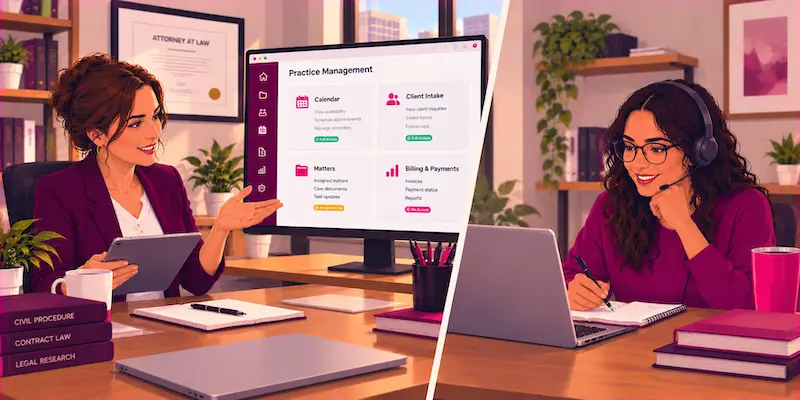
Bringing on help is a security event, so treat the first day as access-setup day. Verizon’s 2026 DBIR Executive Summary found a human element in 62% of breaches across all organizations. Its small and midsize business row shows 45%.
That figure covers people on every side of a firm, including the owner, so good access rules protect you as much as they guide a new hire. They limit the impact of one mistake. Beyond system access, clear expectations around NDAs, trial projects, and supervision help you set boundaries before your first legal support professional handles sensitive information.
Use named accounts and least-privilege permissions
Give your assistant a named account in every system, with MFA on. Shared logins hide who did what, and you can’t revoke them without locking yourself out.
Grant only what the tasks require. A Virtual Legal Assistant handling intake needs access to your calendar and intake forms, while you keep trust account access. In practice management software, limit their role to assigned matters.
Share other logins through a dedicated password manager vault you can revoke in one step.
Set confidentiality terms and supervision routines
Get a signed confidentiality agreement before access goes live. Cover client information, no personal file copies, approved devices, AI tool rules, and immediate reporting of anything suspicious.
Walk your assistant through your one-page policy, especially the wire rule. Hold a weekly check-in, and review access monthly. A fuller monitoring framework is in risk governance for legal outsourcing.
Offboard in under an hour
Offboarding is where small firms leak access, because nobody remembers every login granted. Keep an access log from day one, then work through it:
- Disable the person’s accounts in email, practice management, and cloud storage
- Remove them from password manager vaults and rotate any shared credentials
- Sign out active sessions and remove their MFA devices
- Recover or wipe firm data on any device they used
- Update bank, vendor, and client contact lists
- Record the date and every access you removed
Write this checklist the same day you grant access.
What to Do in the First Hour of a Breach

As a solo, you’re the incident response team. Keep a printed one-page plan with phone numbers, since your computer may be what’s down.
- Disconnect the affected device from the internet, but don’t wipe it, so evidence survives
- Call your cyber insurer’s breach hotline before hiring anyone, since some policies require you to use their approved vendors; check your policy wording
- If money moved, call your bank and ask for a wire recall
- Change passwords from a clean device, starting with email, and sign out of every session
- Write down what happened and when
Then turn to your clients. ABA Formal Opinion 483 (October 2018) covers breaches involving material client confidential information. It says you must notify current clients under Model Rule 1.4, as the San Diego County Bar Association’s summary explains.
State breach-notification laws are separate. Ask your insurer’s breach counsel and your state bar’s ethics hotline which apply.
Why Virtual Latinos Is the Ideal Partner for Secure Delegation
Your basics decide how safely you can delegate. The person you delegate to matters just as much.
Top 1% pre-vetted talent
Virtual Latinos gives you access to an exclusive community of the top 1% of pre-vetted Virtual Professionals from Latin America. Screening covers English fluency, technical and role-specific skills, problem-solving, communication style, and cultural fit.
A human-guided hiring process
Our team builds a custom hiring plan, shortlists candidates, facilitates interviews, and helps you onboard, while you keep the final hiring decision. Your firm remains responsible for configuring secure access, establishing confidentiality terms, supervising delegated work, and meeting applicable professional obligations.
Support in U.S. time zones
Virtual Professionals work in U.S. time zones, so check-ins and access reviews happen during your business day.
A Replacement Guarantee
If the first match isn’t the right fit, our Replacement Guarantee means you have support finding the next one.
Key Takeaways
- Secure your own systems before delegating. Start with account protection and financial safeguards, then address backups, device security, and written policies.
- Make security part of onboarding. Give each virtual assistant their own account, define their responsibilities, and explain your firm’s confidentiality and communication rules before granting access.
- Keep permissions under your control. Maintain an access log, review permissions regularly, and revoke access promptly when someone leaves your team.
- Prepare for incidents before they happen. Create a one-page response plan with emergency contacts, reporting responsibilities, and the immediate steps to take after a suspected breach.
- Treat data security as an ongoing professional responsibility. Revisit your safeguards as your firm grows, your technology changes, and your delegation needs evolve.
Frequently Asked Questions
How much does basic data security cost a solo law firm?
Many basics cost nothing extra, because they’re settings in tools you already pay for. Expect these cost categories:
- Free settings already in your tools, such as MFA and device encryption
- A password manager subscription
- A backup service
- An optional cyber insurance premium
IBM’s Cost of a Data Breach Report 2026 puts the global average breach at USD 4.99 million, with no small-firm breakout.
Is cloud practice management software safe for client files?
It can be, if the vendor meets solid security standards and you configure it well. Before you sign, check for:
- Encryption in transit and at rest
- MFA and role-based permissions
- Independent security audits, such as SOC 2 reports
- Where data is stored and how you export it on exit
- How quickly the vendor notifies you of a breach
Even with a strong vendor, your firm is still responsible for its own settings, including who can open which matters.
Can I use generative AI tools with client information?
Not without safeguards. ABA Formal Opinion 512 (July 2024) says that, as of its publication, many self-learning tools require the client’s informed consent before you enter representation information, and boilerplate engagement-letter language isn’t enough. Build these safeguards into your firm’s AI use policy:
- Use business tiers that don’t train on your data
- Read vendor terms on storage and retention
- Remove client identifiers when possible
- Verify every citation before you rely on it
How often should I review my firm’s security setup?
Review it at least once a year, and a lighter check every quarter. Also review it right away when:
- Someone joins or leaves your firm
- You add new software or an AI tool
- Your cyber or malpractice insurance renews
- You suspect a security incident
- Your state changes its ethics or data security rules
Protect Your Clients and Grow with Confidence
Data security basics help reduce confidentiality risks and enable more controlled delegation, but they don’t eliminate the need for ongoing supervision and review. Finish MFA, a password manager, and your wire rule this week. Add backups, encryption, a one-page policy, and a breach plan this month.
Then every person you bring on starts inside a system built to protect your clients. You get your time back and keep the trust your practice runs on.
Ready to delegate with confidence? Hire a virtual assistant to grow your business.